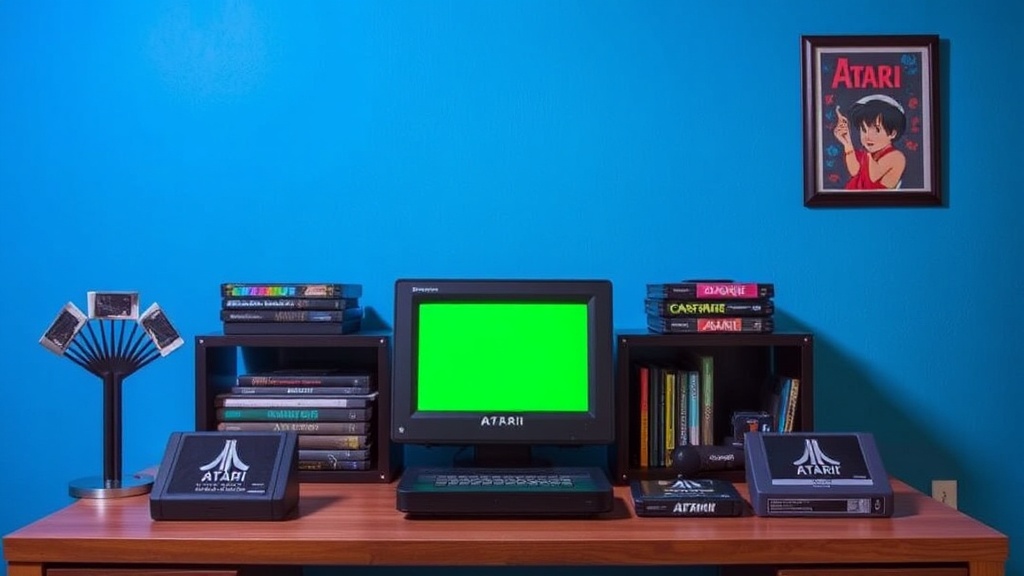
How to Clean, Store, and Display Your Vintage Atari Cartridge Collection

This guide covers everything needed to clean, protect, and showcase vintage Atari cartridges so they stay in working condition for years. Whether you've got five games or five hundred, proper care prevents label damage, connector corrosion, and plastic yellowing — all common problems that tank both playability and resale value.
How Do You Safely Clean a Vintage Atari Cartridge?
Start with the gentlest methods first. Atari cartridges from the late 1970s and 1980s are surprisingly tough, but the labels and internal circuit boards aren't indestructible.
You'll need a few basics: 91% isopropyl alcohol, cotton swabs (the classic Q-tip works fine), a soft microfiber cloth, a can of compressed air, and a small Phillips-head screwdriver for opening stubborn cases. Some collectors also keep a Magic Eraser (melamine foam) on hand for scuffs — though you'll want to use it sparingly.
Begin by blowing out loose dust from the connector end with compressed air. Hold the can upright. (Tilting it sprays propellant, which leaves residue.) Next, dip a cotton swab in isopropyl alcohol and gently rub the metal contacts inside the cartridge slot. You'll often see black grime lift off immediately. Flip the swab. Repeat until the contacts shine copper again. Let the cartridge dry for ten minutes before testing it.
For the plastic shell, a damp microfiber cloth with a drop of dish soap handles most dirt. Stubborn sticker residue? Apply a small amount of Goo Gone to a cloth — never directly onto the label — and rub gently. The stuff dissolves adhesive without attacking the ABS plastic most Atari shells are molded from.
Labels are where things get dicey. If a label is peeling at the corner, a tiny dab of archival-quality PVA glue (think Lineco Neutral pH Adhesive) applied with a toothpick can secure it. Never use Super Glue — it discolors paper and creates hard, brittle edges. If a label is already torn or water-damaged, leave it alone. Attempting to "restore" it usually makes things worse.
That said, some collectors take disassembly a step further. The Atari 2600 cartridge uses two small screws to hold the clamshell together. Removing them lets you clean both halves thoroughly and inspect the PCB for capacitor leaks or battery corrosion (relevant for later Atari 7800 and Lynx titles). Just be careful — over-tightening those screws during reassembly cracks the posts.
What's the Best Way to Store Atari 2600 Games Long-Term?
Store cartridges upright in a cool, dry place away from direct sunlight. Heat warps plastic. UV fades labels. And humidity breeds mold on cardboard boxes.
Vertical storage — spine-out, like books on a shelf — is the gold standard. It minimizes pressure on the cartridge shells and prevents labels from sticking to each other. Horizontal stacking, while space-efficient, puts weight on the bottom games and can stress the connector end over time.
For loose cartridges, BCW Supplies makes plastic storage boxes sized perfectly for retro games. Their "Video Game Box" measures roughly 11.5" x 7.5" x 6" and holds around 25 Atari cartridges. These stack neatly in closets or on shelves. For individual protection, slip each cartridge into a resealable polyethylene bag or a rigid plastic case. Ultra-PRO makes clear sleeves that fit 2600 carts without being too baggy.
Games with original boxes need even more care. Boxed Atari titles from the early '80s often came in thin cardboard that creases easily. Consider acrylic display cases — brands like Collector's Choice and RetroProtection sell custom-fit protectors for common Atari box sizes. They cost a few dollars each but prevent edge wear and shelf-rub.
The catch? Climate control matters more than fancy containers. An unheated garage or damp basement will ruin a collection faster than any flimsy shelf. Ideal conditions sit around 65°F (18°C) with 35-50% relative humidity. If your storage space feels muggy, a small dehumidifier (the Eva-Dry E-333 works well for closets) pulls moisture out silently.
Here's a quick breakdown of common storage setups:
| Storage Method | Best For | Pros | Cons |
|---|---|---|---|
| BCW Plastic Storage Box | Loose cartridges (25+ count) | Stackable, affordable, dust-proof | No individual protection inside |
| Ultra-PRO Resealable Bags | Individual loose carts | Cheap, prevents scratches | Can trap moisture if humid |
| Acrylic Box Protectors | Boxed games | Crystal clear, rigid protection | Expensive at scale |
| IKEA KALLAX Shelving | Displayed collections | Modular, fits cartridge rows perfectly | Exposes games to light and dust |
Worth noting: if you're storing games in plastic totes, avoid the cheapest dollar-store bins. Off-gassing from low-grade plastic can create a faint chemical smell over time — and in extreme cases, it may react with older labels. Stick to name-brand containers like Sterilite or Rubbermaid.
How Should You Display an Atari Collection Without Damaging It?
Display cartridges behind UV-filtering glass or acrylic, and keep them out of direct sunlight. A well-lit game room looks great on Instagram, but faded labels are permanent.
The IKEA DETOLF glass-door cabinet is a popular choice among collectors. It's narrow, affordable (around $70 USD), and the glass panels block some UV while keeping dust out. Add a strip of LED lights inside — the Philips Hue Play light bars work well — and you've got a showroom-quality display without heat damage. (Incandescent bulbs are the enemy here. They run hot.)
For wall mounting, floating shelves like the IKEA LACK series handle the weight of boxed games easily. Space them about 12 inches apart vertically — that leaves room for most Atari 2600 boxes standing upright. Just make sure you hit wall studs. A shelf of 50 cartridges weighs more than you'd think, and drywall anchors alone can fail catastrophically.
Some collectors prefer to display only their favorites — the silver-label Pac-Man, the gatefold Adventure, the infamous E.T. the Extra-Terrestrial — while keeping bulk stock in storage. This "rotate the museum" approach keeps the room from looking cluttered and reduces exposure for the majority of the collection.
If you're showing off complete-in-box (CIB) games, consider museum putty (like QuakeHold!) on the base of each acrylic protector. It prevents tipping during earthquakes, clumsy elbows, or enthusiastic pets. Museum putty is non-staining and peels off clean.
What About Corrosion, Mold, and Other Nightmare Scenarios?
Corrosion on cartridge contacts usually shows up as green or white crust. It's often caused by long-term storage in humid basements or attics. The fix? A more aggressive cleaning — sometimes called a "refurb" among retro gaming circles.
Start with a fiberglass pen or a pink eraser (the kind art students use). Gently rub the corroded contacts to lift oxidation. Follow up with isopropyl alcohol and a cotton swab. For heavy corrosion, a product like DeoxIT D5 (a contact cleaner made by Caig Laboratories) breaks down oxidation safely. Spray a tiny amount on a swab, not directly into the cartridge, and wipe the pins clean.
Mold on cardboard boxes is trickier. If you spot fuzzy growth, isolate the box immediately — mold spreads. Lightly brush the surface with a soft, dry paintbrush outdoors. Do NOT use water or bleach on vintage cardboard. Once the visible mold is gone, store the box in a dry environment with good airflow. Some collectors use silica gel packets (the kind found in shoeboxes) inside storage containers to keep humidity down.
Here's the thing: not every damaged cartridge is worth saving. A common sports title with severe label rot and a cracked shell might cost more in supplies and time than it's worth. But for rare titles — Air Raid, Red Sea Crossing, Atlantis II — professional restoration services exist. Companies like Video Game Authority (VGA) and CGC Video Games offer grading and encapsulation that halts further deterioration. It isn't cheap, but for high-value pieces, it's worth considering.
Building a Maintenance Routine That Sticks
Set a calendar reminder twice a year. Spring and fall work well. During each check-in, do three things: inspect displayed games for dust and fading, test a few random cartridges in a console to catch connector issues early, and replace any exhausted silica gel packets in storage bins.
Keep a simple inventory. A Google Sheet or an app like GAMEYE works fine. Note the condition of each cartridge, whether it has a box or manual, and the date it was last cleaned. This sounds obsessive. It isn't. When a collection grows past a hundred games, memory fails — and a written record prevents redundant handling.
Finally, handle cartridges with clean hands. Oils from skin transfer to plastic and labels. For high-value games, cotton gloves (the same kind archivists use for handling photographs) eliminate that risk entirely. They're inexpensive — a dozen pairs costs less than a single common Atari cart.
Your collection tells a story. Every scratch, every faded label, every well-worn edge is part of gaming history. Protect it with the same care you'd give any vintage collectible, and those wood-grain cartridges will keep firing up for decades.